If you have spent any time shopping around for employee monitoring tools, you have probably noticed something frustrating. The phrase session recording shows up everywhere, but it seems to mean something different depending on which vendor’s site you land on. One product shows you a video of an employee’s desktop. Another shows you a heatmap of where website visitors clicked. A third just takes screenshots every few minutes and calls it the same thing.
That confusion is not your fault. The market really has lumped together very different categories under similar names, and it makes shortlisting tools harder than it should be. Whether you are evaluating your first monitoring solution or trying to replace an older tool that no longer fits, getting clarity on what session recording actually means is the first step toward making a confident decision.
What Session Recording Really Means in a Workforce Context
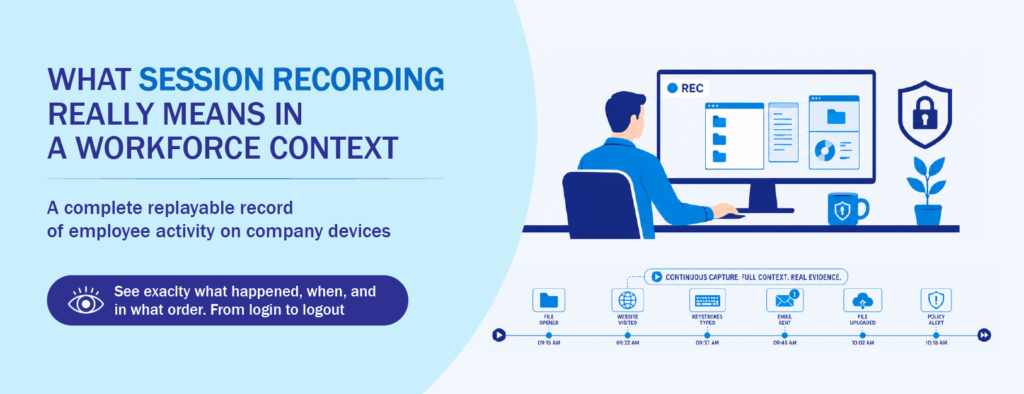
In a workforce or security context, session recording is the continuous capture of what happens on an employee’s device during a work session. Think of it as a video log of the desktop, paired with metadata like the applications opened, URLs visited, files touched, and keystrokes typed. When something goes wrong, whether that is a data leak, a policy violation, or a disputed HR case, you can press play and see exactly what happened, when, and in what order.
This category grew out of the cybersecurity world, specifically insider threat detection and user activity monitoring (UAM). Frameworks published by NIST and guidance from CISA on insider risk both point to detailed activity logging as a core capability for protecting sensitive data. Locally, the National Privacy Commission’s advisory opinions on workplace computer monitoring also recognize that employers may record employee activity for legitimate purposes, provided they follow the proportionality and transparency principles of the Data Privacy Act.
The key idea is that session recording is meant to give you a complete, replayable picture. Not snapshots. Not summaries. The actual sequence of events.
How It Differs From Periodic Screenshots and Basic Activity Logs
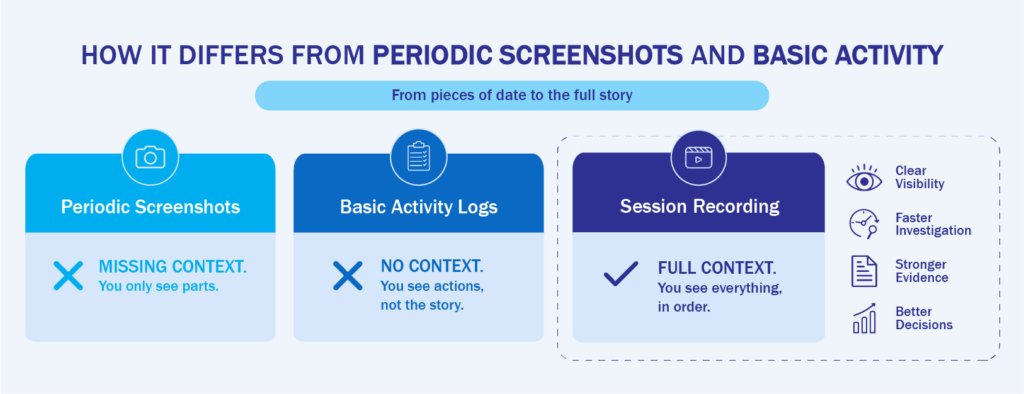
A lot of older monitoring tools take a screenshot every few minutes, log a few app names, and stop there. That can be useful for very light productivity tracking, but it falls apart the moment you need to investigate something serious.
Imagine a finance officer is suspected of moving sensitive files to a personal cloud drive. With screenshot-based tools, you might see one image of a browser window at 2:47 PM and another at 2:52 PM, with a five-minute gap in between. You can guess at what happened, but you cannot prove it. With true session recording, you can replay the full five minutes, see exactly which folder was opened, which file was selected, which tab the upload went to, and whether the action triggered any policy alerts along the way.
The same gap shows up in basic activity logs. A log entry that says “user accessed file X at 14:47” tells you something happened, but it does not tell you the intent or the context. Session recording gives you the surrounding behavior, which is often the difference between a confirmed incident and a hunch you cannot act on.
Why Web Session Replay Tools Are a Separate Category
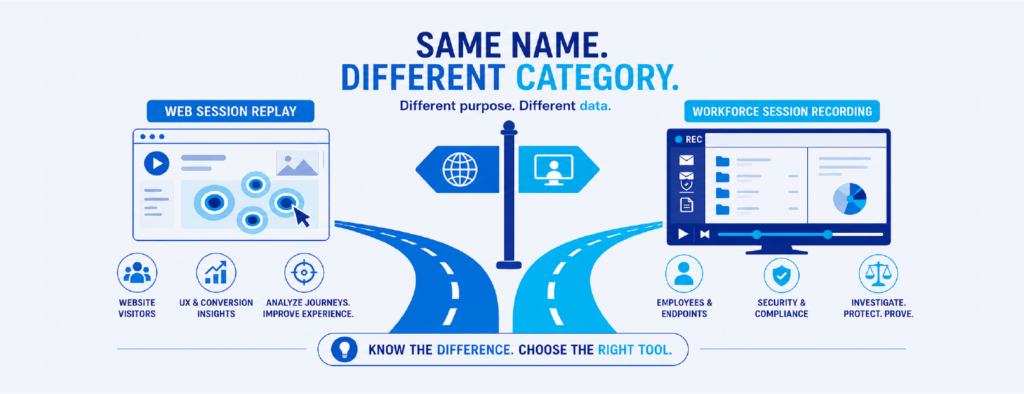
Here is where most of the confusion starts. Search results for session recording are usually a mix of two very different product categories, and unless you know what you are looking at, the lines blur quickly.
The first category is web session replay. These tools record the behavior of visitors on your website. They help product teams and marketers understand where users get stuck on a checkout page, which buttons get rage-clicked, and how people scroll through a landing page. The “session” being recorded is a browsing session on your public-facing site, and the data belongs to anonymous or logged-in visitors interacting with your web app.
The second category is workforce session recording, which is what most IT and security teams actually need. This kind of tool records what your employees do on their work devices. The “session” is a login-to-logout window on a company endpoint, and the goal is security, compliance, or productivity insight, not user experience optimization.
The two categories often appear in the same search results because they share a name, but they serve different teams, different budgets, and very different decisions. If your goal is to protect data, support HR investigations, or meet compliance requirements, web session replay is not what you want. If your goal is to improve a checkout flow, workforce monitoring is not what you want either. Knowing which side of the line you are on saves a lot of wasted demo calls.
Use Cases Where Each Option Makes Sense
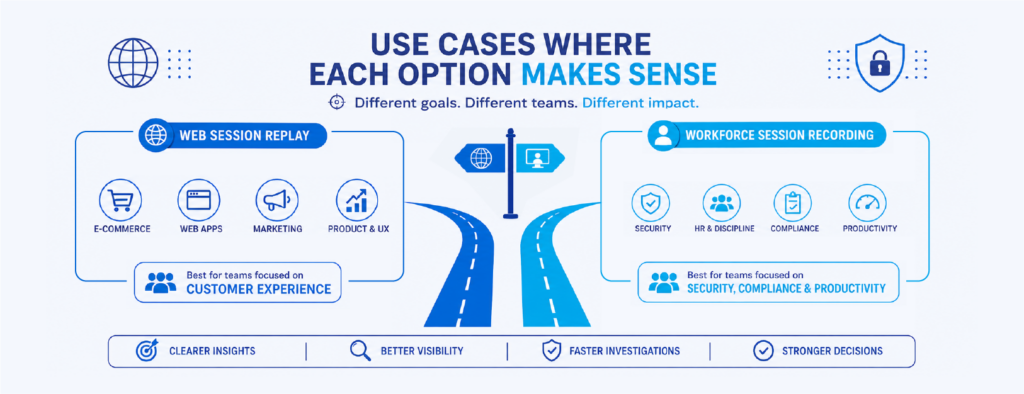
A simple way to decide which category you actually need is to ask who you are trying to understand. If the answer is “our customers and website visitors,” you are looking at web session replay. If the answer is “our employees, contractors, or third-party users on company systems,” you are looking at workforce session recording.
Workforce session recording tends to make the most sense for IT and security teams that need visibility into endpoint activity, HR teams that need objective evidence for disciplinary cases, compliance teams preparing for audits under standards like ISO 27001 or PCI DSS, and operations leaders running hybrid or remote teams where direct supervision is limited. It is especially relevant in industries like financial services, healthcare, business process outsourcing, and any environment that handles regulated or sensitive data.
Web session replay, on the other hand, belongs squarely with product, UX, and marketing teams. The two can coexist in the same company, but they should not be confused on the same shortlist.
What a Complete Session Recording Feature Set Looks Like
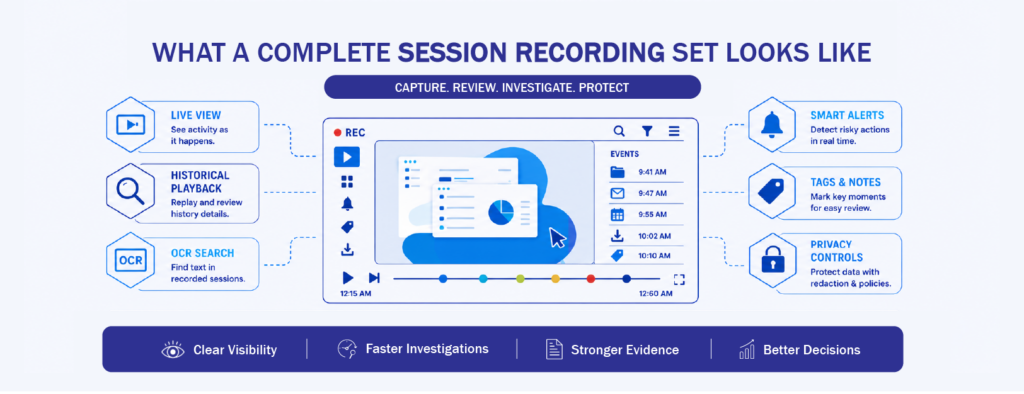
Once you have decided you need workforce session recording, the next challenge is figuring out what separates a strong tool from a weak one. A handful of features tend to make the biggest difference in real-world use.
The first is live view alongside historical playback. Live view lets you watch a session as it happens, which is critical for active investigations or supporting a remote employee in real time. Historical playback lets you scrub through past sessions like a video timeline, jumping straight to the moment something flagged your attention.
The second is optical character recognition (OCR). Without OCR, you can record hours of footage and still have no way to search it. With OCR, the tool extracts text from the recorded screens, so you can search for a keyword, a file name, or a phrase and jump directly to every moment it appeared on screen. That single feature can turn a forensic investigation from days of work into minutes.
The third is smart alerts tied to behavior, not just keywords. Good session recording tools let you define what risky activity looks like, such as uploading files to unsanctioned cloud storage, copying large amounts of data to USB drives, or accessing sensitive systems outside work hours, and then automatically flag, record, or block those actions. The recording becomes the evidence that backs up the alert.
The fourth, and one that gets overlooked, is privacy controls. Recording everything raises real concerns under the Data Privacy Act and similar regulations elsewhere. A capable tool lets you redact personal information, exclude specific applications, set retention policies, and apply role-based access so only authorized investigators can review footage. This protects both the employee and the employer.
Rounding out the list are practical considerations like storage flexibility (cloud, on-premises, or hybrid), protected mode so tech-savvy users cannot disable the agent, and integration with broader security tools like SIEM platforms and data loss prevention systems. Industry research from the Ponemon Institute on the cost of insider threats consistently shows that faster detection and investigation directly lower the financial impact of incidents, which is exactly what a well-rounded session recording setup is built to do.
Bringing It All Together With One Platform
If you are looking at this list and thinking it sounds like a lot of features to stitch together from different tools, you are not wrong. That is exactly why workforce analytics platforms like Teramind have become popular with IT and security teams in the Philippines and across the region. Teramind combines video-quality session recording with live view, historical playback, OCR search, behavior-based alerts, privacy controls, and policy enforcement in a single platform. It is built specifically for workforce monitoring, not web analytics, so the feature set lines up directly with the use cases above.
For teams evaluating their first monitoring tool, or replacing an older screenshot-based product, seeing what a modern session recording solution actually looks like in action makes the shortlisting process much easier. If you would like to explore how Teramind fits into a Philippine business context, the team at CT Link Systems can walk you through a tailored demo and help you figure out what makes sense for your environment.
Interested in learning more about session recordings and solutions like Teramind? Message us today at marketing@ctlink.com.ph to set up a consultation with us today!