
The way people imagine a hacker getting into the company’s network usually involves them breaking through the firewall. This was something that would be true in the past, but now there is an easier and simpler way to do so. They log into the network through legitimate credentials that were stolen through phishing or human carelessness. This then is just seen as another normal log in by the firewall, this is where the problem lies. ITDR, or Identity Threat Detection and Response, aims to solve this problem by changing where you look for attacks.
This isn’t to say monitoring your firewall isn’t important. As technology has advanced, the priority of what we should be monitoring has shifted bringing credentials higher on the totem pole. Learning where the alert that came at 2am started from is better than just knowing that there was an alert for your business security.
What ITDR Watches That a Firewall Cannot
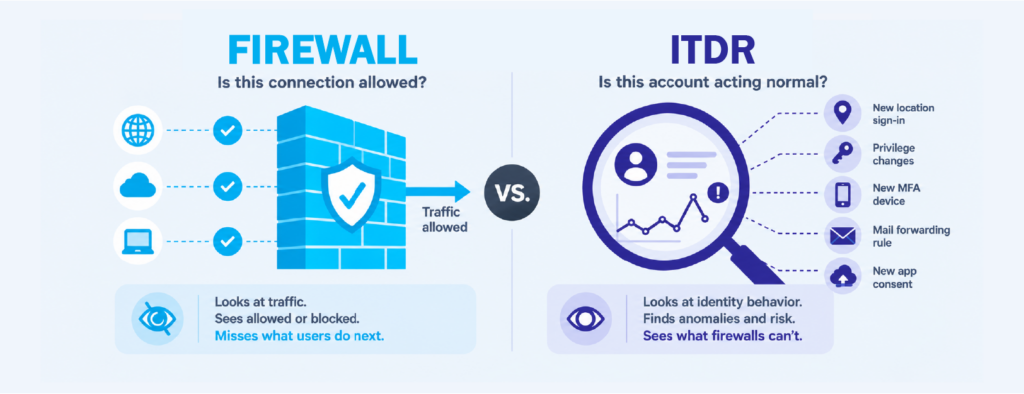
The simplest way to describe ITDR is monitoring that follows accounts instead of traffic. It keeps track of your user accounts, admin accounts, service accounts, group memberships, and the login activity all of them generate. For most companies that means watching Active Directory, Entra ID, and the cloud apps your staff sign into every morning.
A firewall is built to answer one question, which is whether a connection should be allowed through or not. ITDR asks something different. It asks whether this account is behaving the way that account usually behaves. That second question is the one that catches a stolen login, because there is nothing wrong with the connection itself. The user is real, the files they are opening are files they have access to, and no rule is being broken. There simply isn’t anything for the firewall to flag.
None of this means your firewall is failing at its job. It is doing exactly what it was designed to do. The issue is that the job it does stopped being the most urgent one. NIST’s zero trust guidance makes a similar point, which is that you should keep confirming who someone is while they are working rather than checking them once at the door and assuming everything after that is fine.
Why a Stolen Login Never Sets Off an Alarm
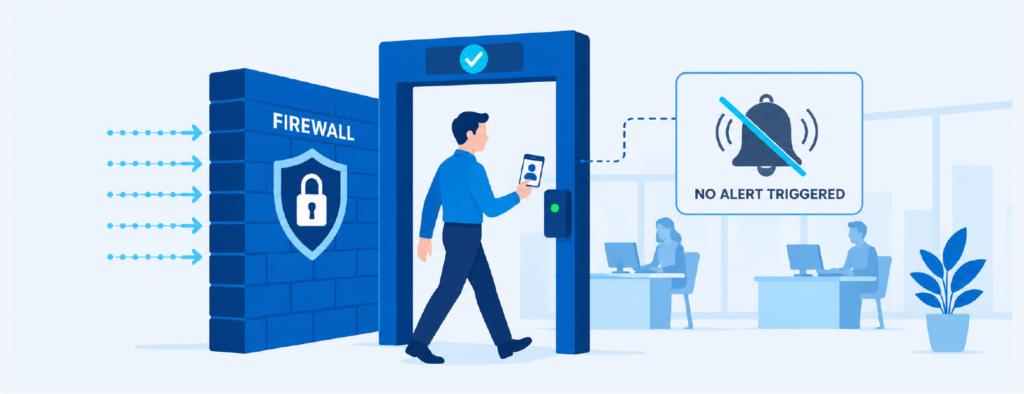
Stolen credentials have become the most common way attackers get inside a business. Breach research has pointed to this for several years now, with stolen credentials showing up in a large share of breaches year after year. Fake login pages, malware that quietly copies saved browser passwords, and credentials sold in bulk online have all made working logins easy to come by.
What happens after they get in is the part most teams don’t expect. The attacker doesn’t do anything loud. They sign in during office hours, read some email, open a few files, and set up a rule that forwards messages somewhere outside the company. Many of them will also register their own phone for MFA so that a password reset won’t push them back out. Every one of these actions is something a regular employee could be doing on any given workday.
Because of that, none of it produces a firewall alert worth chasing. This is the reason these intrusions can sit quietly for weeks or even months before anyone notices. The evidence was usually in your sign-in logs the entire time. If nobody is reading those logs, or they only get pulled up after something has already gone wrong, then you were holding the answer without ever looking at it. Collecting logs and actually detecting an attack are two very different things, and closing that gap is what ITDR was built for.
The Old Monitoring Order and Why It Stopped Working
For a long time most companies followed the same order when it came to what got looked at first. Firewall alerts were at the top, endpoint alerts came next, then server and application logs, and identity logs sat at the bottom where they were mostly kept for audits.
That order made sense back when the office and the network were the same thing. A few changes have pulled it apart since then:
- Applications moved to the cloud, so a good portion of your data now sits somewhere your firewall never gets to inspect
- Staff began working from home and from anywhere else, so an unfamiliar IP address stopped telling you much
- Attackers picked up on both of these and started going after passwords instead of the perimeter
The result is that a lot of teams are still putting most of their attention on the layer attackers now walk around, while the layer attackers actually use only gets reviewed after something has gone wrong. Changing that order is the real work behind adopting ITDR, and it tends to matter more than whichever product you end up choosing.
The Identity Signals Worth Putting First
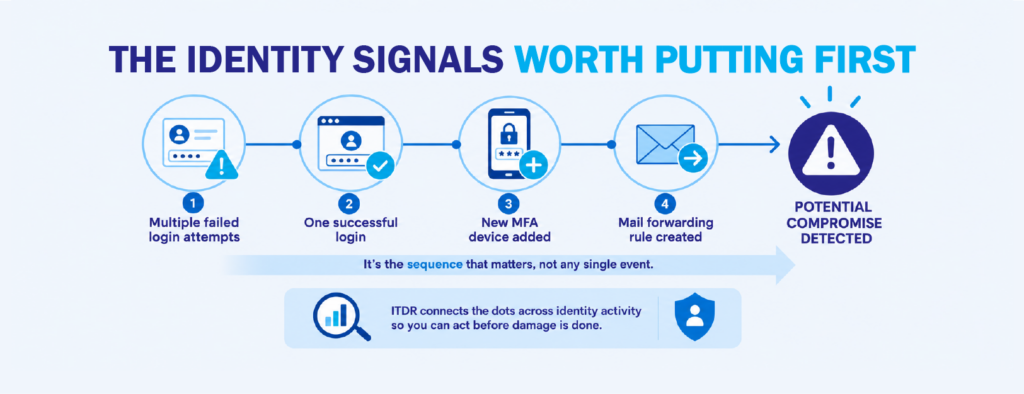
Moving identity to the top of the list only helps if you know what you are looking for. Login logs are noisy by nature, and treating every event in them as equally important is how teams end up ignoring all of them. There is a short set of behaviors that carries far more weight than everything else:
- A successful login that comes right after a run of failed ones
- A sign in from a country the user has never worked from before
- Repeated MFA prompts, or a new MFA device added to an account that already had one
- A user being added to an admin group, or an admin account that was dormant suddenly becoming active
- New email forwarding rules, mailbox delegation, or an app being granted broad permissions
- Service accounts signing in from new machines or at hours they normally wouldn’t
What makes these worth watching is the order they happen in rather than any single one on its own. A failed password spray, then one success, then a new MFA device, then a forwarding rule tells you a fairly clear story. Spread those same four events across four days and four separate logs and each of them just looks like a helpdesk ticket. Most of the work in ITDR is connecting them quickly enough for it to still matter.
CISA has pointed out these same follow-up moves in its advisories, particularly attackers registering their own MFA methods and making use of stolen session tokens. If you are trying to decide what deserves a real alert versus what can sit on a dashboard, that is a reasonable place to begin.
Where ITDR Fits With Your SIEM and EDR
If your team already runs EDR and a SIEM, it is fair to wonder what ITDR is actually adding. EDR does very well at catching bad software running on a device you manage. It has a much harder time when the attacker never installs anything at all and does everything through a browser on a laptop that isn’t yours. Nothing gets executed, so there is nothing for it to catch.
A SIEM can take in identity logs, and plenty of them already do. The catch is that taking the logs in gives you something searchable, not something that warns you. Turning those logs into alerts that mean something takes detection rules written specifically for identity, tuning them against what normal looks like in your own company, and someone actually reading what comes out the other end. That last part is usually where these setups quietly stop.
ITDR is what sits in that space. It works less like a replacement for the tools you own and more like a layer that treats the account as the thing being attacked, then passes that context back to everything else. When it is working properly, a strange login and an endpoint alert stop arriving as two unrelated tickets and become one incident that somebody owns.
Nobody Is Watching at 3am
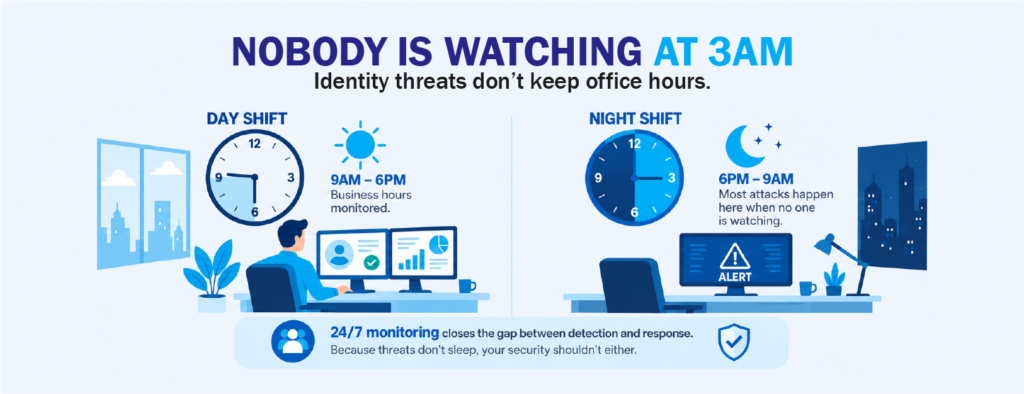
Attackers have never felt obligated to keep office hours. A lot of credential activity happens overnight, on weekends, and during long holidays, for the fairly obvious reason that there is nobody around to do anything about it. For a lean IT team this turns into the real problem. The alert can fire exactly the way it was designed to. If the first person who sees it walks in on Monday morning, the damage has already been done.
This is why identity monitoring often ends up being handled by a managed security operations center instead of being staffed internally. Covering 24 hours means hiring for nights and weekends, keeping your detection rules current as attacks change, and having someone on hand who can tell the difference between a real threat and a sales rep logging in from a hotel in Singapore. For most mid-market companies that math doesn’t work out in-house.
A modern MSOC is built around this shift in priority. Rather than sitting on perimeter traffic and passing alerts along, it watches identity and cloud activity, pulls related events together into one picture, and responds while the intrusion is still small. That response is what actually shortens the damage, not the detection on its own. Knowing at 3am that an account is being misused only helps if somebody is there to shut it down at 3am.
Where CT Link Fits
This thinking is what Aspex, CT Link’s managed security operations center (MSOC), was built around. It watches identity and cloud sign-in activity alongside the firewall and endpoint layers you already have in place, so a suspicious login gets looked at in context instead of sitting as one line in a log nobody opened. It is meant for teams that already have good tools and simply don’t have enough people to keep eyes on them around the clock.
If your identity logs are being collected but nobody is really reading them, that is a conversation worth having. Our team is happy to walk you through what identity monitoring would look like in your environment, without any pressure to replace what you already have.
Interested in learning more about ITDR or security services like MSOC? Set a consultation with us today at marketing@ctlink.com.ph!