Most Philippine businesses don’t start with an IT asset management problem. They start with a spreadsheet that works fine. Ten laptops, a few software licenses, and a shared file where someone tracks who has what. That setup holds together when the team is small and everything lives in one office.
The trouble is that it stops holding together gradually, and nobody notices right away. New hires get devices. Old devices sit in storage. Someone buys a subscription that overlaps with one you already have. The spreadsheet gets updated when someone remembers. IT asset management (ITAM) becomes a real problem the moment your records stop matching reality, and the gap between what you think you have and what actually exists starts costing money, creating security blind spots, and making every audit feel like a scramble.
If that sounds familiar, you’re not alone. A 2025 survey of 600 IT professionals by WanAware found that nearly 25% of IT teams still rely on spreadsheets and email to manage their assets. The same survey found that up to 25% of IT spending goes toward “ghost assets,” which are devices and licenses that exist on paper but deliver zero business value.
Why Spreadsheets Stop Working as Your Environment Grows

A spreadsheet is a snapshot. It captures what someone knew at the moment they typed it in. The problem is that IT environments don’t stand still. People join, people leave, devices get reassigned, software renews automatically, and someone connects a personal laptop to the company Wi-Fi without telling anyone.
None of those changes update themselves in a spreadsheet. So the data drifts. Slowly at first, then faster as the business adds headcount, opens another location, or shifts to hybrid work. A market report on the Philippine ITAM landscape specifically calls out this challenge: many businesses in the country still rely on manual processes for IT asset tracking, leading to inefficiencies and data inaccuracies that compound over time.
Version control makes it worse. When two people edit the same file, or when a copy gets emailed around instead of updated in the shared version, you end up with competing records and no clear way to tell which one is correct. The real issue isn’t that spreadsheets are bad tools. They’re just not built for something that needs to update in real time, scale with the organization, and feed into other IT processes like patching and security monitoring.
Ghost Assets: What They Are and What They Cost
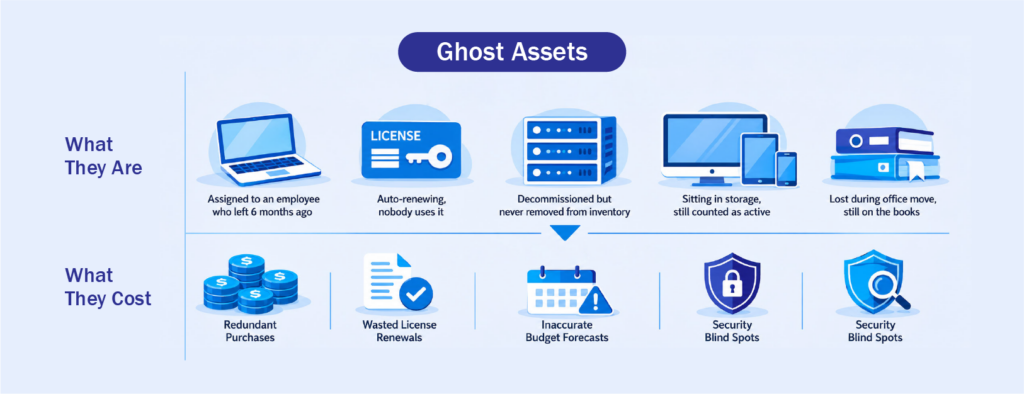
Ghost assets are IT resources that still appear in your records but provide no actual business value. A laptop assigned to an employee who left six months ago. A software license still auto-renewing for a tool nobody uses. A server that was decommissioned but never removed from the inventory. They sit on your books, cost money, and create risk without anyone realizing it.
The scale of this problem is larger than most organizations expect. According to Teqtivity’s Q1 2026 IT Asset Intelligence Report, a 7% accuracy gap in a 10,000-device organization can translate to between $2 million and $5 million in annual losses. Those losses come from purchasing hardware you already own, paying for unused devices, misallocating software licenses, and planning technology refreshes based on data that no longer reflects reality. The same report notes that 71% of employees don’t return company equipment when they leave, which means every departure is a chance for a device to become a ghost.
Shadow devices add another layer. These are personal phones, tablets, or laptops that connect to corporate resources without IT’s knowledge. They don’t appear in any inventory, they don’t receive patches, and they can’t be wiped remotely if they’re lost or compromised. For organizations with bring-your-own-device (BYOD) policies or hybrid work setups, shadow devices are often the fastest growing category of unmanaged assets.
Five Signs Your IT Asset Management Has Outgrown Manual Tracking
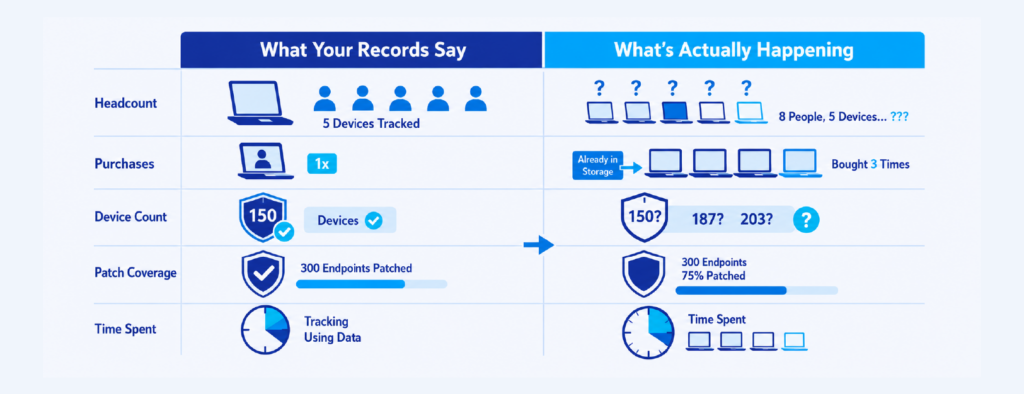
The shift from spreadsheets to a proper ITAM approach rarely happens because of one dramatic event. It’s usually a series of smaller frustrations that add up.
Your headcount is growing faster than your inventory updates.
When onboarding and offboarding happen weekly, a manually updated spreadsheet can’t keep pace. Devices get issued without being logged, and returned devices sit in a closet without being reassigned or retired.
You’ve purchased duplicate hardware or software.
If your team has ever bought new laptops only to find working ones sitting in storage, or renewed a software subscription that another department already covers, your asset records aren’t giving you the visibility you need. Gartner reports that organizations lose an average of 25% of their SaaS budgets to unused entitlements and overlapping tools.
You can’t confidently answer “how many devices do we have?” during a budget review.
If that question triggers a scramble to reconcile multiple files and check with different teams, the tracking method has fallen behind.
Your patch coverage numbers don’t match your device count.
When the patch management report says 300 endpoints are current but you know there are closer to 400 devices in the organization, the difference is likely made up of devices your patching tool doesn’t know about. You can’t patch what you can’t see.
You spend more time maintaining the tracking system than using the data.
When the spreadsheet itself becomes a project, with weekly cleanups, formatting fixes, and merge conflicts, the tool is consuming more effort than the value it returns.
What Automated Asset Discovery Changes
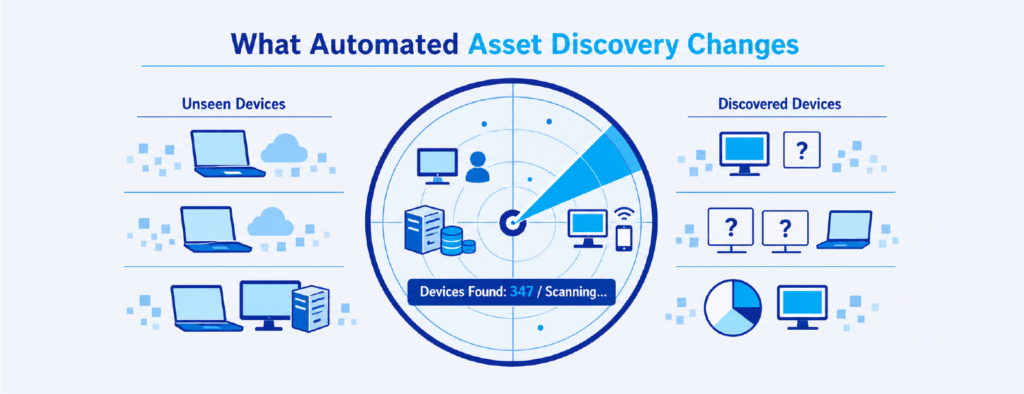
The biggest difference between manual IT asset tracking and a proper ITAM platform is discovery. Instead of waiting for someone to type a serial number into a spreadsheet, automated asset discovery scans your network continuously and identifies every device that connects, whether it’s managed, unmanaged, or something no one knew was there.
This matters because you can’t secure, patch, or budget for devices you don’t know exist. The Center for Internet Security (CIS) makes this point directly in its Critical Security Controls framework. Control 1, Inventory and Control of Enterprise Assets, is listed as the very first security control because everything else depends on it. You can’t apply security policies to endpoints that aren’t in your inventory. You can’t patch software on devices your tools don’t see. And you can’t plan hardware refreshes accurately if your records include ghost assets and miss shadow devices.
The National Institute of Standards and Technology (NIST) reinforces this in Special Publication 1800-5, its dedicated guide to IT asset management. NIST notes that while a physical tracking system can tell you where a computer is located, it can’t answer questions like “What operating systems are our laptops running?” or “Which devices are vulnerable to the latest threat?” An effective ITAM solution ties physical and virtual assets together and gives management a complete picture of what exists, where it is, and how it’s being used.
Automated discovery closes that gap by keeping the inventory current without relying on manual input.
What to Look for in a Modern IT Asset Management Platform
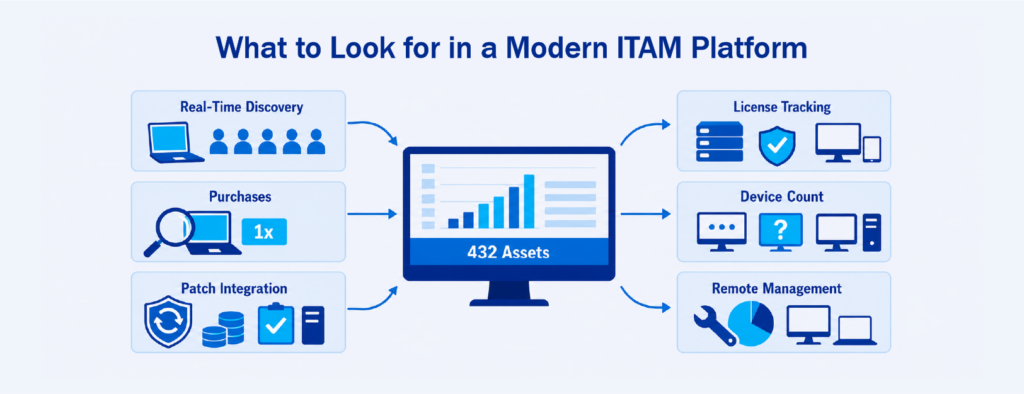
Not every ITAM tool solves the same problem. Some focus only on inventory, giving you a digital list but not much else. Others bolt asset tracking onto a help desk or ticketing system as an afterthought. The most useful platforms are the ones that build asset management into the same console your IT team already uses for endpoint management, patching, and remote support.
When evaluating platforms, pay attention to a few practical capabilities. Real-time asset discovery should run continuously, not on a schedule you have to remember to trigger. The platform should track both managed and unmanaged devices, including hardware that isn’t running an agent. Software license tracking should show you what’s installed, what’s actually being used, and what’s approaching renewal, so you can right-size before you overspend. Hardware lifecycle data, including warranty status and device age, should be visible without exporting data to another tool.
Integration also matters. If your ITAM data lives in one system and your patching, remote access, and ticketing live somewhere else, you’re back to stitching things together manually. Platforms like NinjaOne, for example, build ITAM directly into the same console used for endpoint management, patching, and remote access, so asset data stays current and connected to the tools your team already relies on. That kind of unified approach removes the extra steps that cause delays and data drift.
The goal is straightforward: know what you have, know where it is, and be able to act on that information from the same place you manage everything else.
IT asset management doesn’t need to be complicated. But it does need to be accurate, current, and connected to the rest of your IT operations. If your spreadsheet has become a source of uncertainty rather than clarity, that’s not a failure. It’s a signal that your business has grown past what manual tracking was built to handle. Once you can see everything in your environment, every other IT decision, from security to budgeting to compliance, gets easier to make and easier to defend.
Interested in learning more about IT Asset Management and Solutions like NinjaOne? Contact us at marketing@ctlink.com.ph to set a consultation with us today!